Everything you need to know about
backtesting
What you need to know before you define your trading strategy.
‘Thanks, Paul, your videos on Backtesting are great’ Amy, Bristol
Step 1
Backtesting with
forex tester 5
Start with defining the currency pair, the timeframe and the time period you want to use. We have attached a screenshot for you to see what it looks like.


Step 2
Access
previous data
You will get access to your previous data with the option to download them.
Step 3
Add your
Indicators
Next up, add your indicators. All you need to do is select “Add Indicator” and choose the ones you use for your trading.


Step 4
Start
testing
Lastly, select the right timeframes and click “Start Test”. All historical data will play back on your screen.
You can pause, rewind and fast forward to reach a point where your strategy would indicate a trade. Once done, enter a dummy trade with stop loss and take profit levels.
Step 5
Get
synopsis
of the results
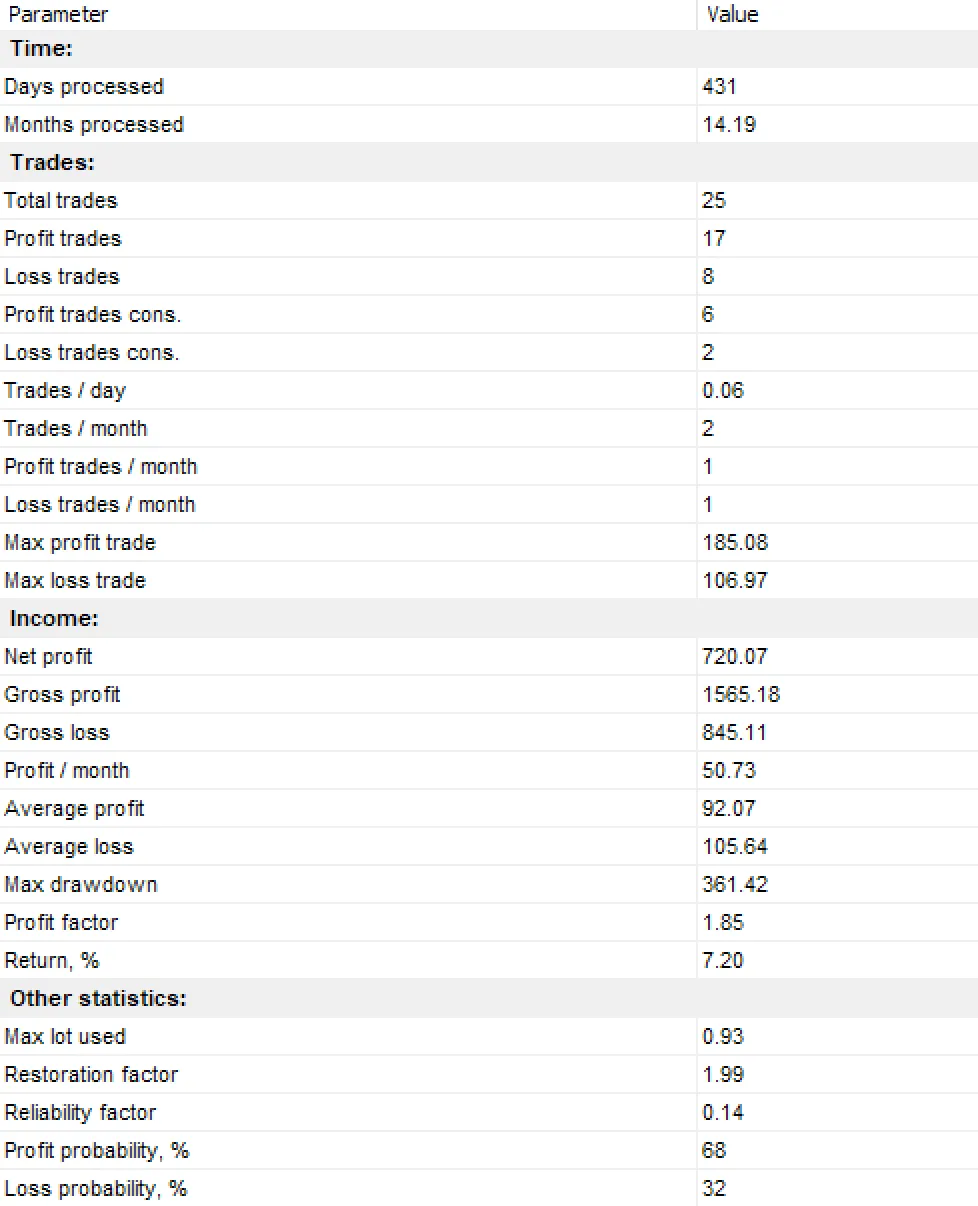
After the test is completed, forex tester 5 will give you a synopsis of the results. It will look similar to this.
It will also provide you with a detailed breakdown with the option to paste it into your own spreadsheet.
Top
5 golden rules
for back-testing
- DO NOT cheat. The test works to tell you whether something works or not. It is not there to prove your strategy is bullet-proof.
- DO define your strategy as tightly as you can.
- DO NOT take one test as gospel truth. It takes a couple to get it right!
- DO take your time with the analysis. There is no rush!
- DO NOT be afraid to change the strategy and start again from the beginning. Even the best traders don’t get it right the first time!

World’s most advanced
Trading Room
This is where the magic happens. Our Forex Trading Room is active 24/7 and packed
with strategies, tools and hundreds of Forex traders from around the world.

Are you ready to
take your trading
to the next level?
With a 7-day free trial you’ve got absolutely no reason not to give us a try.
You won’t regret it.